If you are planning to use kiosks in a restaurant, retail store, hotel, clinic, or other business, you may already have a rough idea of what you want: a certain screen size, your brand colors, a few payment or scanning devices, and a shape that fits your space.
The difficult part is turning that idea into a kiosk that can actually be manufactured, used every day, and produced in quantity without problems.
That is where the custom kiosk process comes in.
It Starts With Your Business, Not the Kiosk
A good kiosk design should start with one simple question: **What does the customer need to do with it?**
Ordering food, checking in, making a payment, printing a receipt, scanning a QR code, browsing products — each application needs different hardware and a different layout.
The location matters just as much.
A kiosk placed against a wall may only need front access. A freestanding unit in the middle of a store needs a stable base and a finished appearance from all sides. An outdoor kiosk may require weather-resistant materials and additional protection for the electronics.
This information should be discussed before the design is finalized. Otherwise, you may end up paying for changes later.
The Design Has to Work Inside, Too
Customers usually look at the outside of a kiosk first. Manufacturers have to think about what is happening inside.
Where will the computer go? Is there enough room for the printer? Can the payment terminal be installed securely? How will the cables be routed? What happens when a technician needs to replace a component?
These details can make a big difference in the final product.
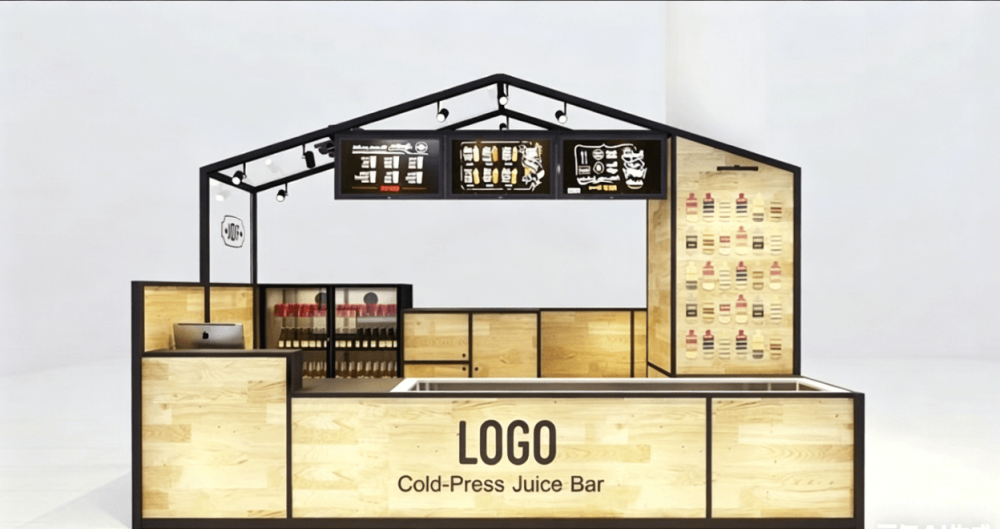
The manufacturer will normally create a 3D/CAD design showing the overall dimensions, screen position, hardware locations, access panels, base structure, and branding areas.
This is also the best time to make changes. Moving a screen in a CAD drawing is easy. Moving it after the metal has been cut is not.
Choosing Materials and Finishes
There is no single material that works for every kiosk.
Powder-coated steel is widely used for indoor commercial kiosks because it is strong, durable, and available in a wide range of colors. Aluminum can be useful when weight is a concern. Stainless steel may be a better choice for certain premium or demanding environments.
The exterior finish also affects how the kiosk looks in your store.
Depending on the design, manufacturers may use powder coating, brushed metal, acrylic panels, vinyl graphics, UV printing, tempered glass, or a combination of these.
If the kiosk is part of your brand image, provide the manufacturer with your logo, color references, or existing brand guidelines. It is much easier to match the finish during the design stage than after production.
Why Prototyping Matters
For a completely new kiosk, going directly into mass production is usually not a good idea.
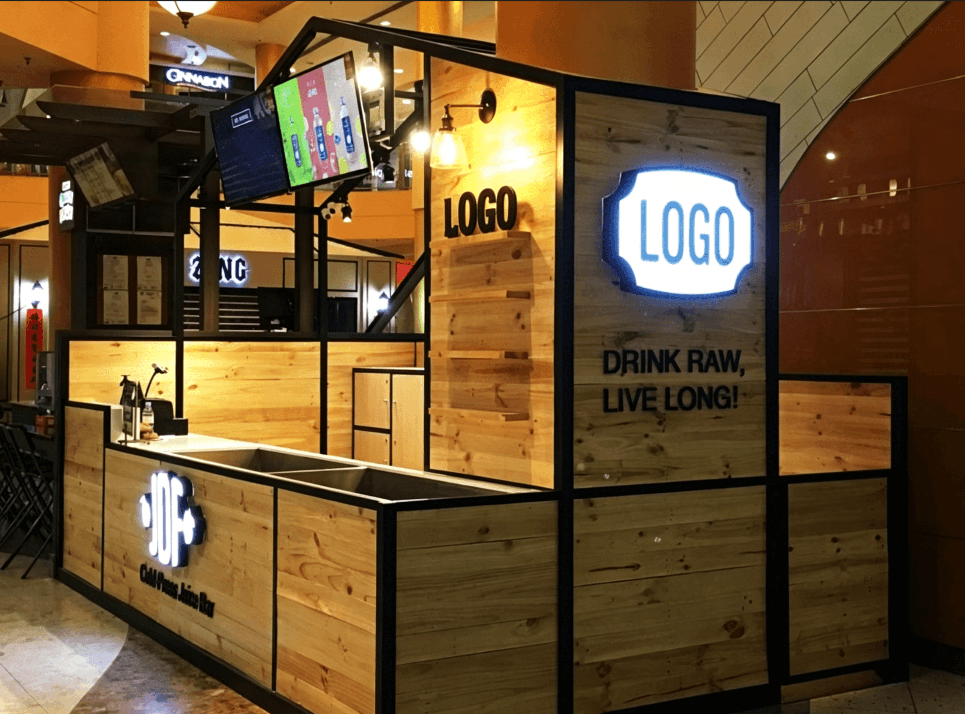
A prototype gives you the chance to see the actual product rather than relying only on a rendering.
You can check whether the screen is at a comfortable height, whether customers can easily reach the payment terminal, whether the printer is positioned correctly, and whether the kiosk feels stable.
It also gives the manufacturer a chance to find engineering problems.
Sometimes the change is small — perhaps a mounting bracket needs to move a few centimeters. In other cases, the internal layout needs to be adjusted to improve ventilation or make maintenance easier.
These are much cheaper problems to solve on one prototype than on an entire production run.
From Prototype to Production
Once the prototype is approved, the design can be finalized for production.
The factory will prepare the production drawings and manufacturing specifications. The kiosk enclosure is then fabricated, which may include laser cutting, CNC bending, welding, grinding, and surface finishing.
After that, branding and hardware installation can begin.
Depending on the project, this may include:
* Touchscreens
* Payment terminals
* Barcode or QR scanners
* Receipt printers
* Cameras
* Speakers
* PCs or media players
* Card readers
* USB or other connectivity
* Custom lighting
For larger orders, consistency becomes especially important. The 10th kiosk should look and function like the first one, and the 100th should not introduce unexpected changes.
Testing Before Shipment
A finished-looking kiosk is not necessarily a finished kiosk.
Before shipping, the manufacturer should check the structure, finish, hardware installation, wiring, power supply, screen, printer, scanner, and other integrated components required by the project.
For larger deployments, it is often worth approving one production sample before the full order is completed.
This can prevent a small issue from becoming a problem across dozens or hundreds of units.
Don't Look at the Unit Price Alone
When comparing custom kiosk quotes, the lowest unit price is not always the lowest project cost.
You also need to consider tooling, hardware integration, packaging, shipping volume, installation, maintenance, and possible design changes.
A kiosk with a basic display and enclosure is very different from a fully integrated self-service kiosk with payment, printing, scanning, security features, and custom engineering.
That is why a useful quotation should be based on an actual specification rather than a generic kiosk price.
What Should You Send to a Manufacturer?
You don't need a complete engineering drawing to request a quote.
A few basic details are usually enough to start:
* What the kiosk will be used for
* Approximate size
* Quantity
* Screen size
* Required hardware
* Indoor or outdoor location
* Preferred materials or colors
* Branding requirements
* Delivery country or city
* Target delivery date
A reference photo or simple sketch is also extremely helpful.
From there, an experienced custom kiosk manufacturer can help turn the idea into a workable design, calculate the production requirements, build a prototype, and prepare it for mass production.
The Goal Is More Than a Good-Looking Kiosk
A successful custom kiosk needs to do more than look good in a 3D rendering.
It needs to fit your store, work comfortably for customers, protect the hardware, allow technicians to service it, and remain consistent when you start ordering in quantity.
If you are opening a new location or planning a larger rollout, getting the manufacturer involved early can make the whole process much smoother.
Send your idea, reference image, dimensions, or hardware list first. The right manufacturer can help you turn that starting point into a kiosk that is ready to build — not just ready to show.